<img height="1" width="1" style="display:none;" alt="" src="https://ct.pinterest.com/v3/?event=init&amp;tid=2619551547515&amp;pd[em]=<hashed_email_address>&amp;noscript=1">
Loading, please wait...

New Boost Reading and Boost Lectura reporting insights are now live!

CM_Boost_TeacherDashboardAdminReporting_LPHeader_110525

These updates aim to improve your reporting experience and offer new ways of using the rich data from Boost to provide intervention support to your students.

View the Boost Reading/Lectura and Biliteracy Teacher Dashboard navigational videos to walk through these enhancements to your reporting experience.

Select the name of the Boost program you use to learn more!
Boost Reading

Boost Reading Teacher Dashboard now includes clear growth reporting that makes student progress easy to see and act on: 

CM_Boost_TeacherDashboardAdminReporting_LP_Troublespots_102325-1

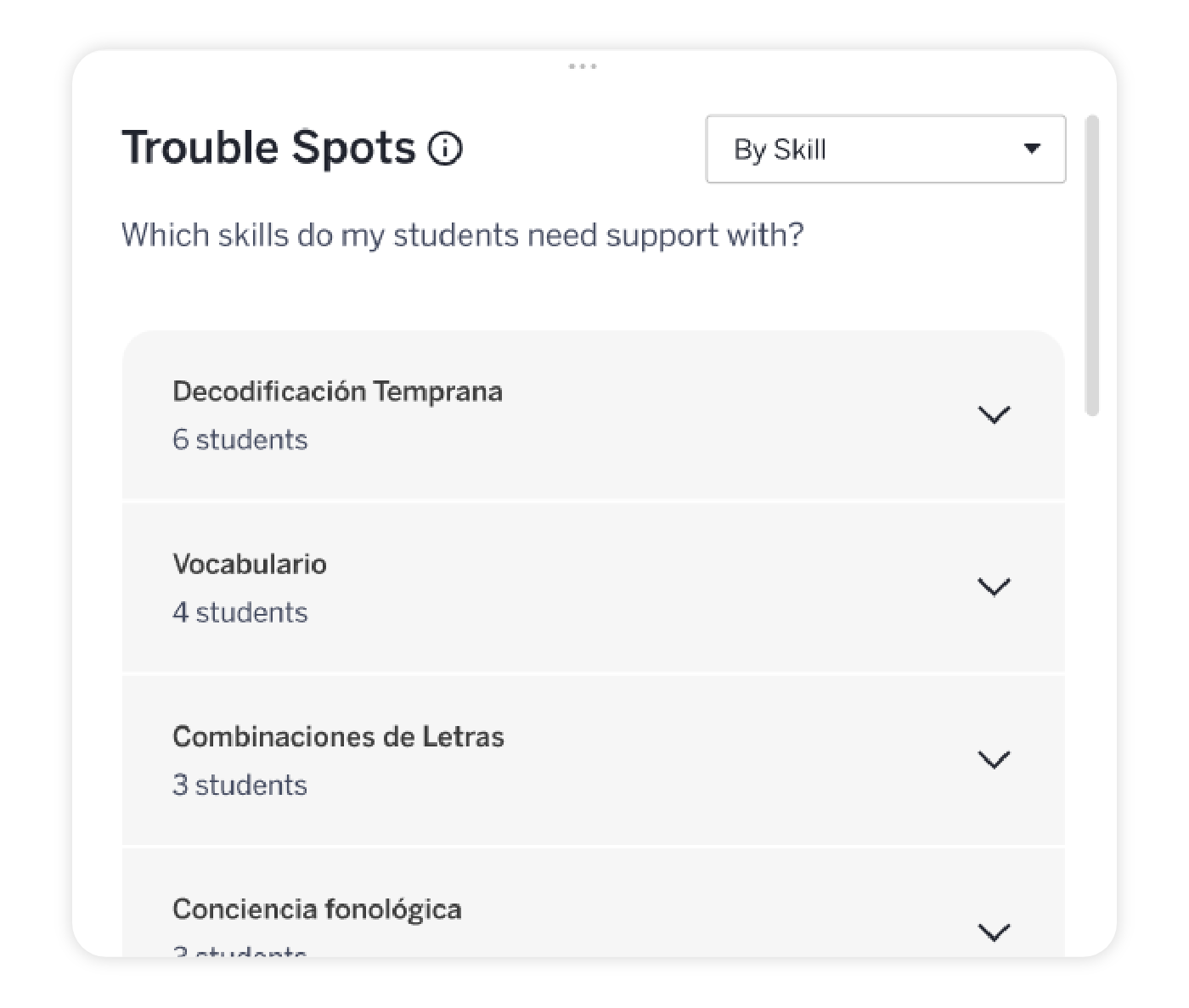
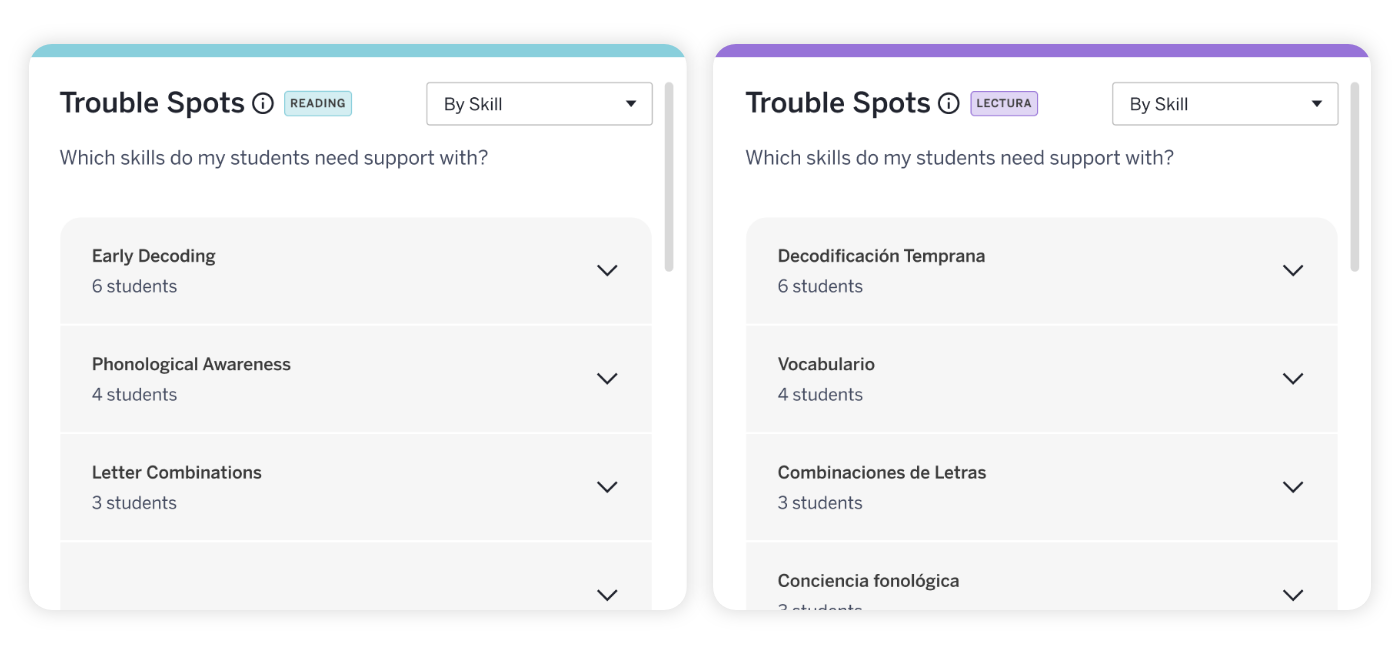
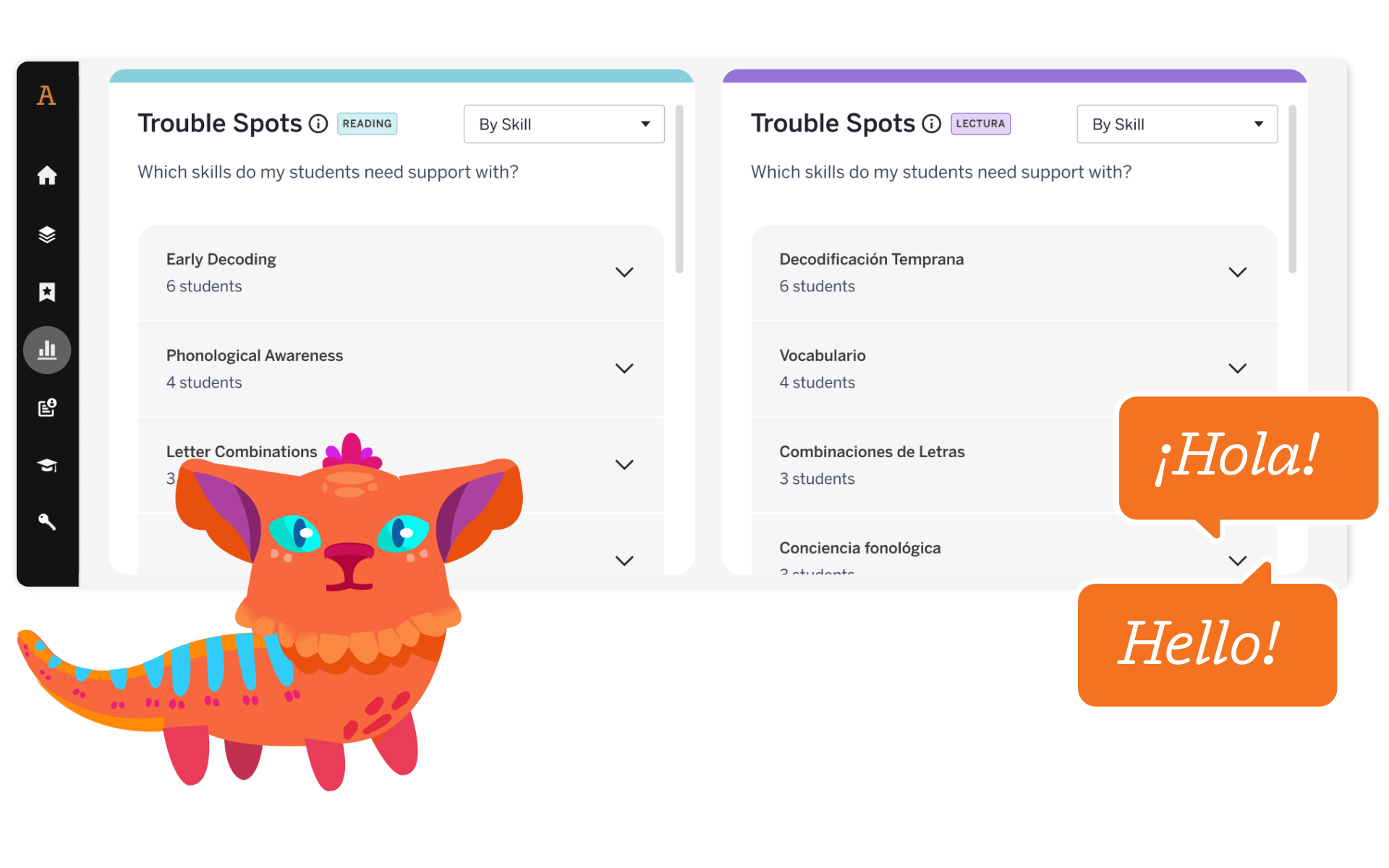
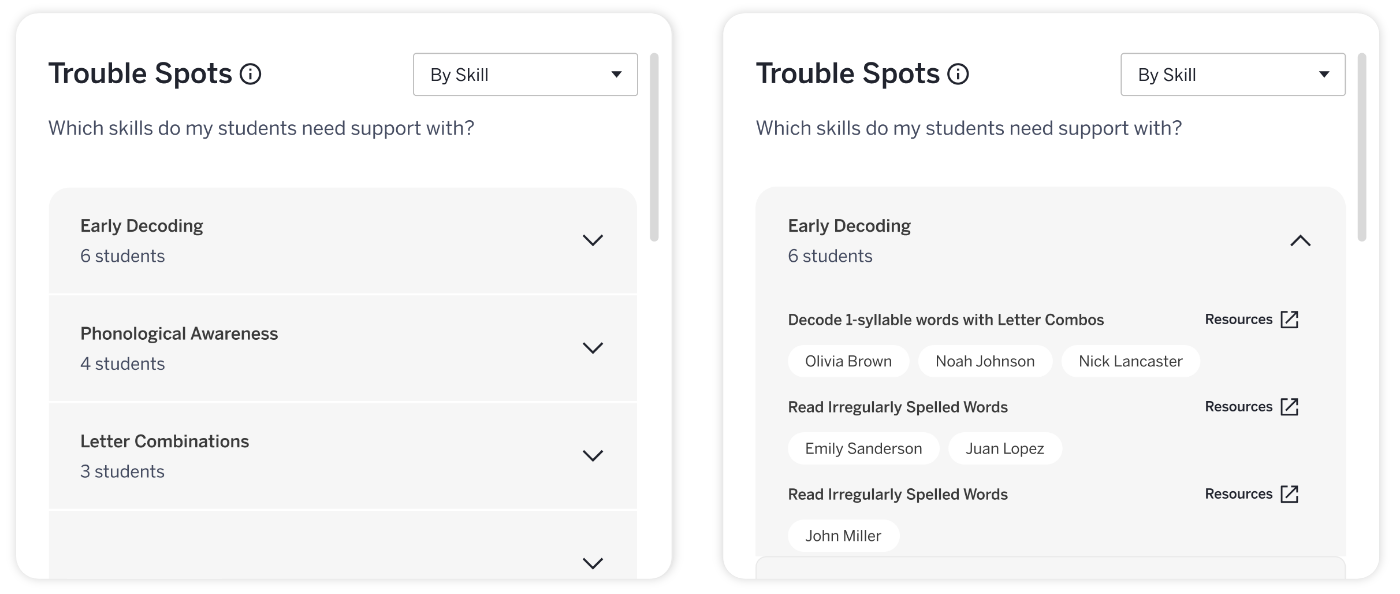
Trouble Spots 

Enhancements to this section will include the addition of the new Skill view! Now, with automatic grouping by skill, you’ll be able to see which skills need attention and which students need the most support. You can also quickly access ready-made printable lessons for small-group work in targeted skill areas to home in on areas where additional support is needed!


CM_Boost_TeacherDashboardAdminReporting_LP_GrowthReporting_110425

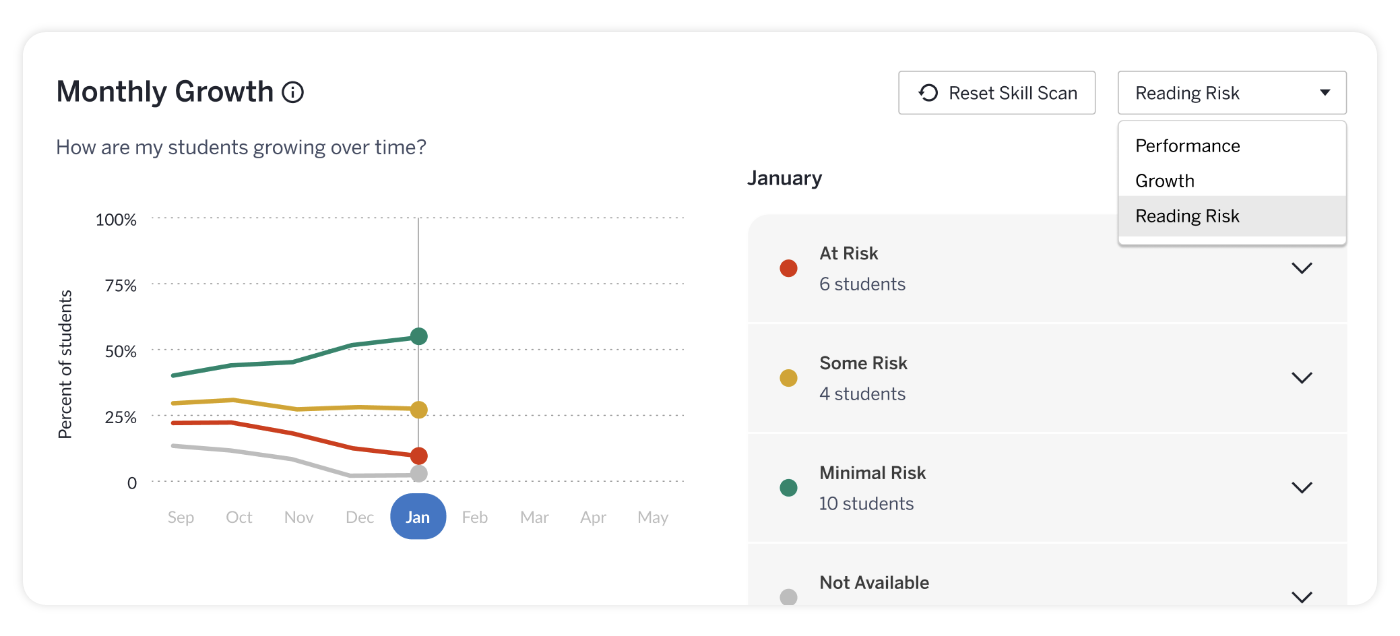
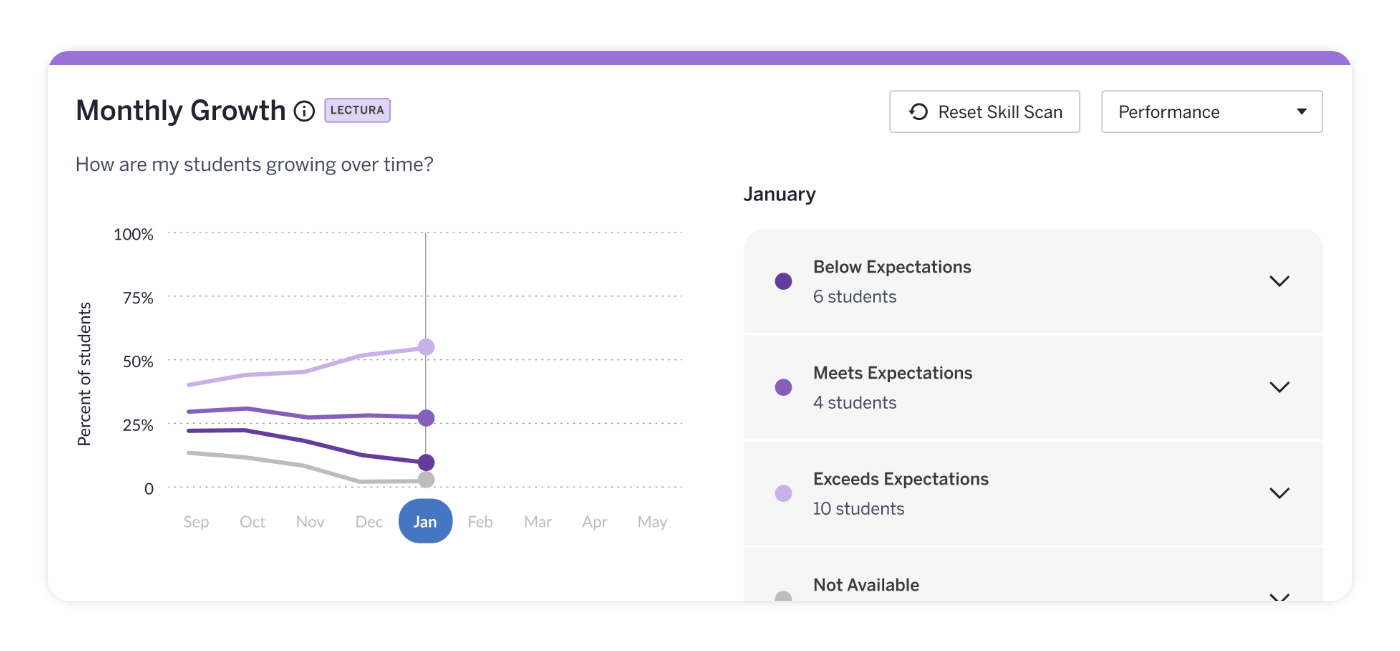
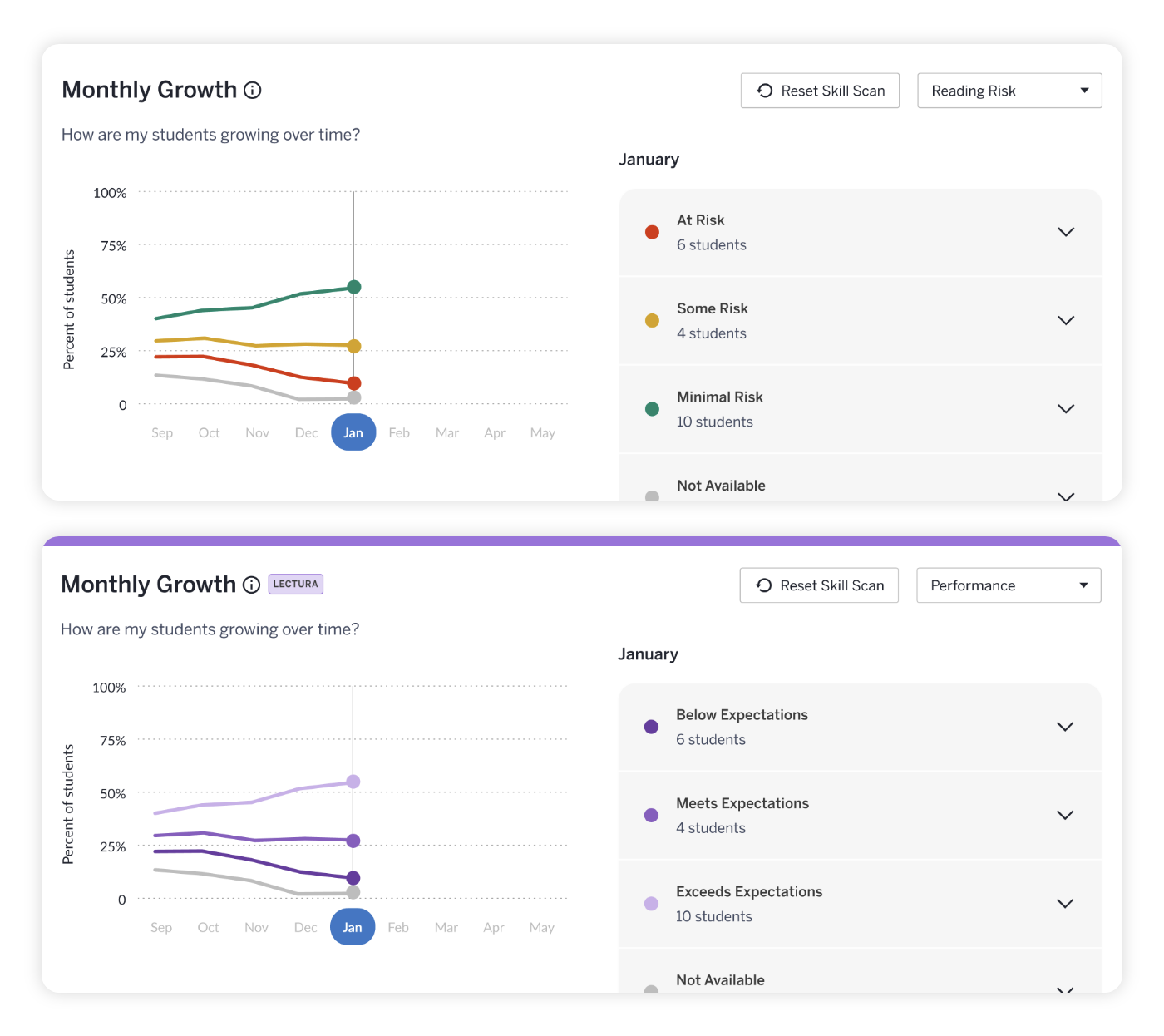
Monthly Growth

Growth reporting will now offer trends on student progress in three areas: Performance, Growth, and Reading Risk. Track month to month how students perform on each skill scan, view growth, and see which students are at higher risk for reading difficulty over time. With new monthly growth reporting, know where your intervention efforts are needed without missing a minute of your students' literacy development. 


CM_Boost_TeacherDashboardAdminReporting_LP_Benchmark_102325-1

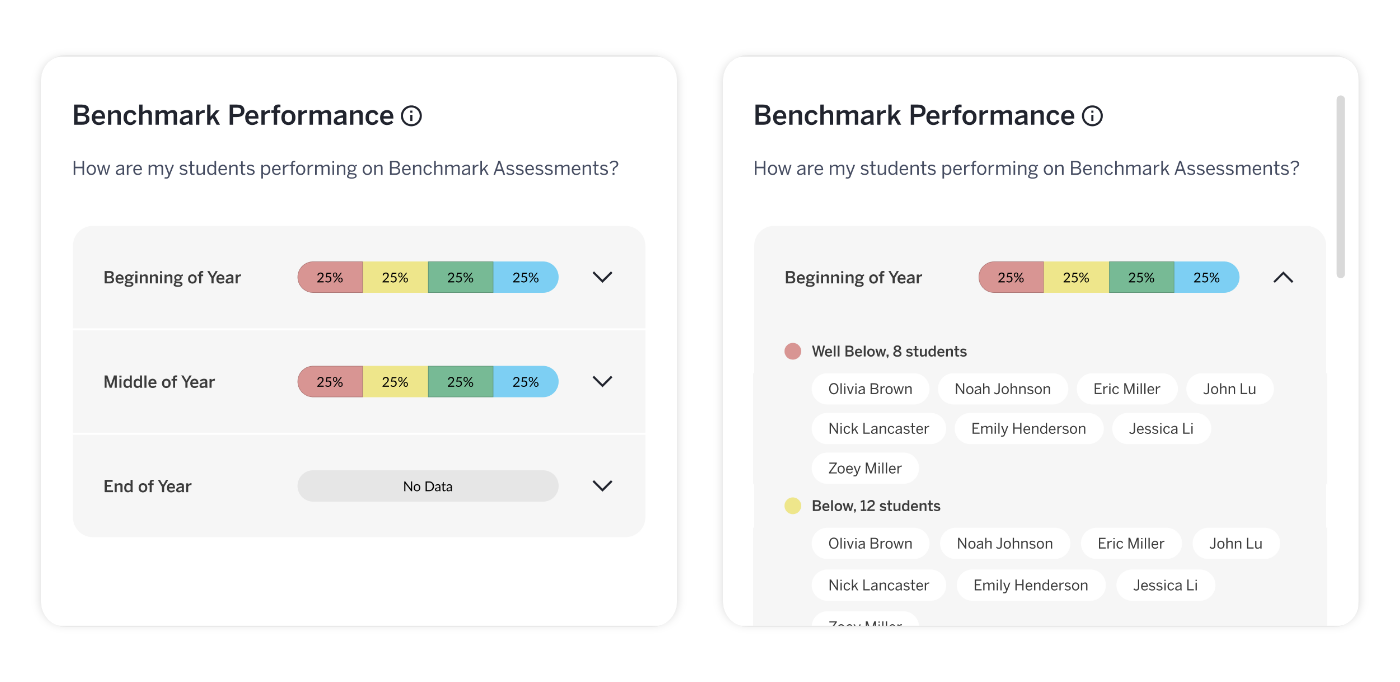
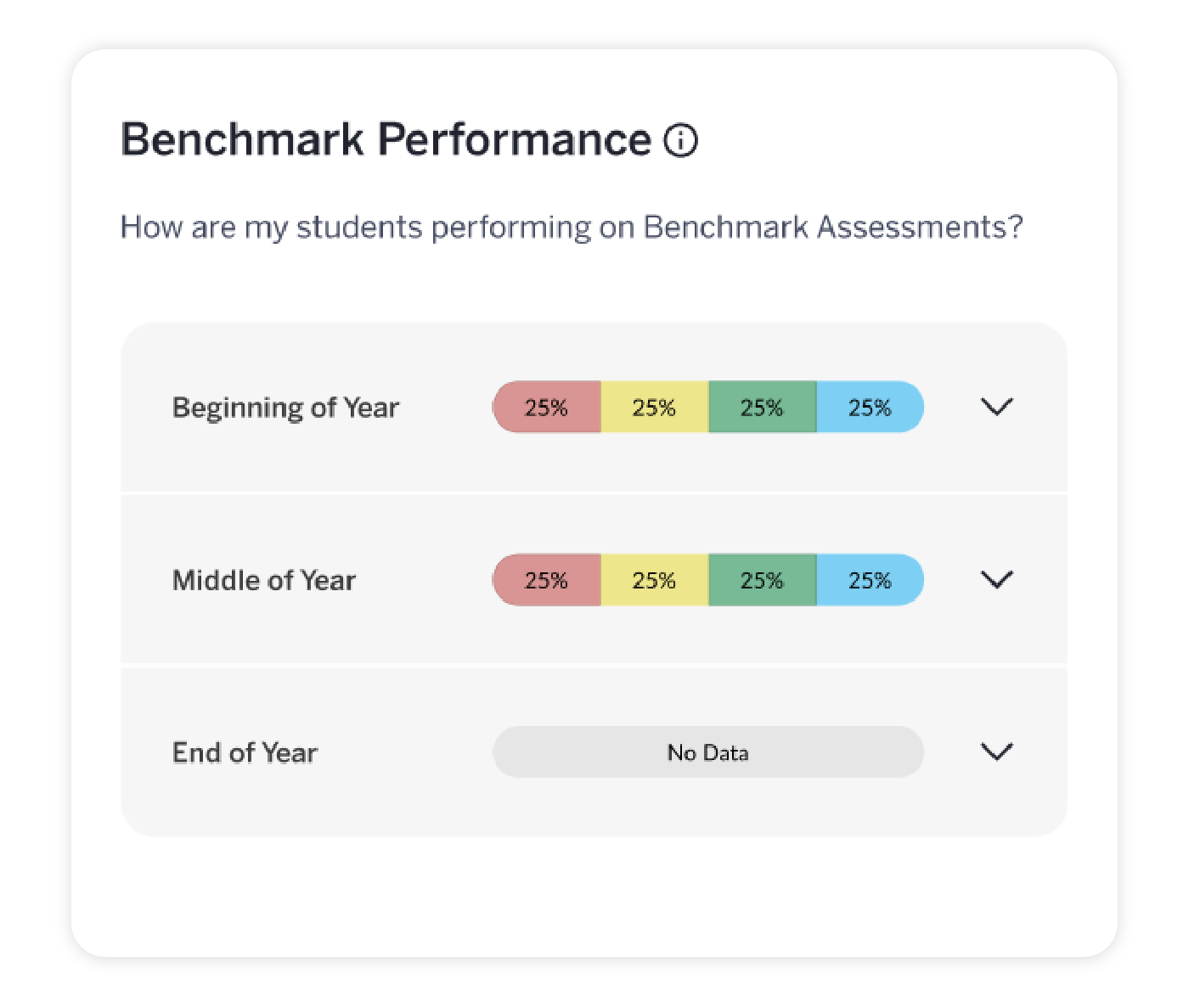
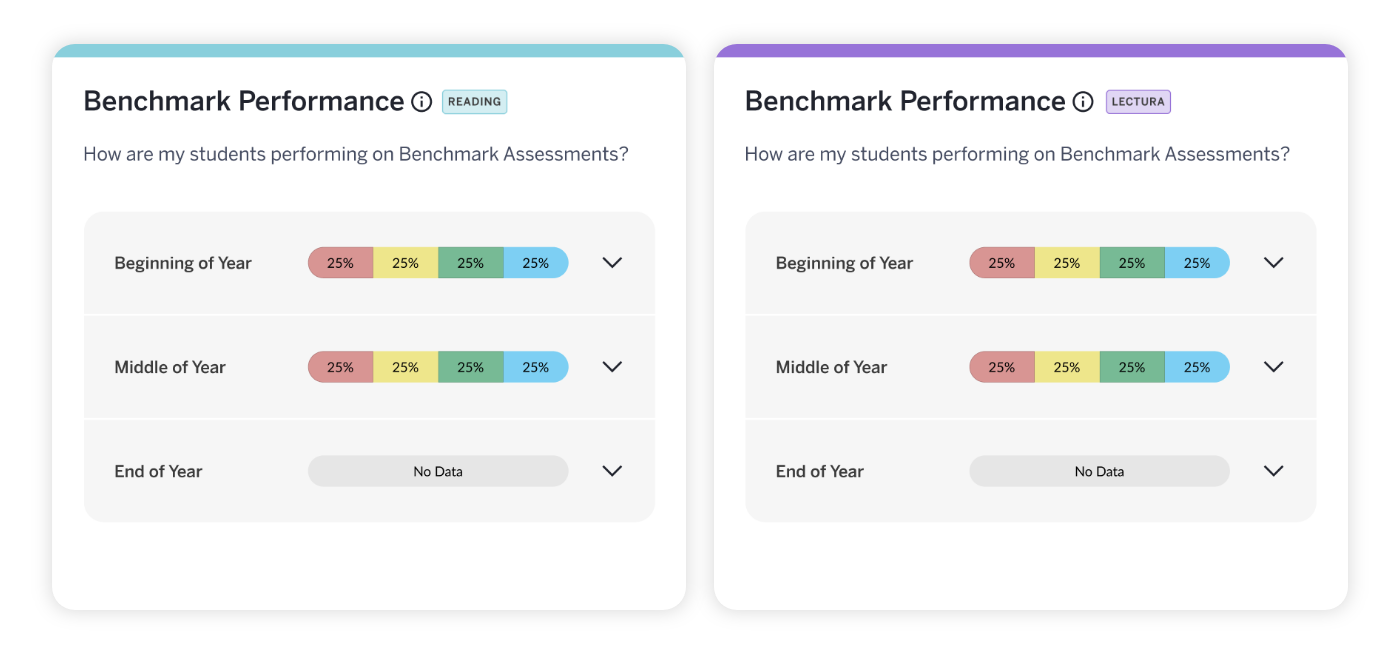
Benchmark Performance

Keep your data front and center with enhanced benchmark reporting on your Teacher Dashboard, allowing you to monitor benchmark trends from beginning of year (BOY) to end of year (EOY). Know if your interventions are working in a more timely manner, so that you can adjust intervention plans in real time.


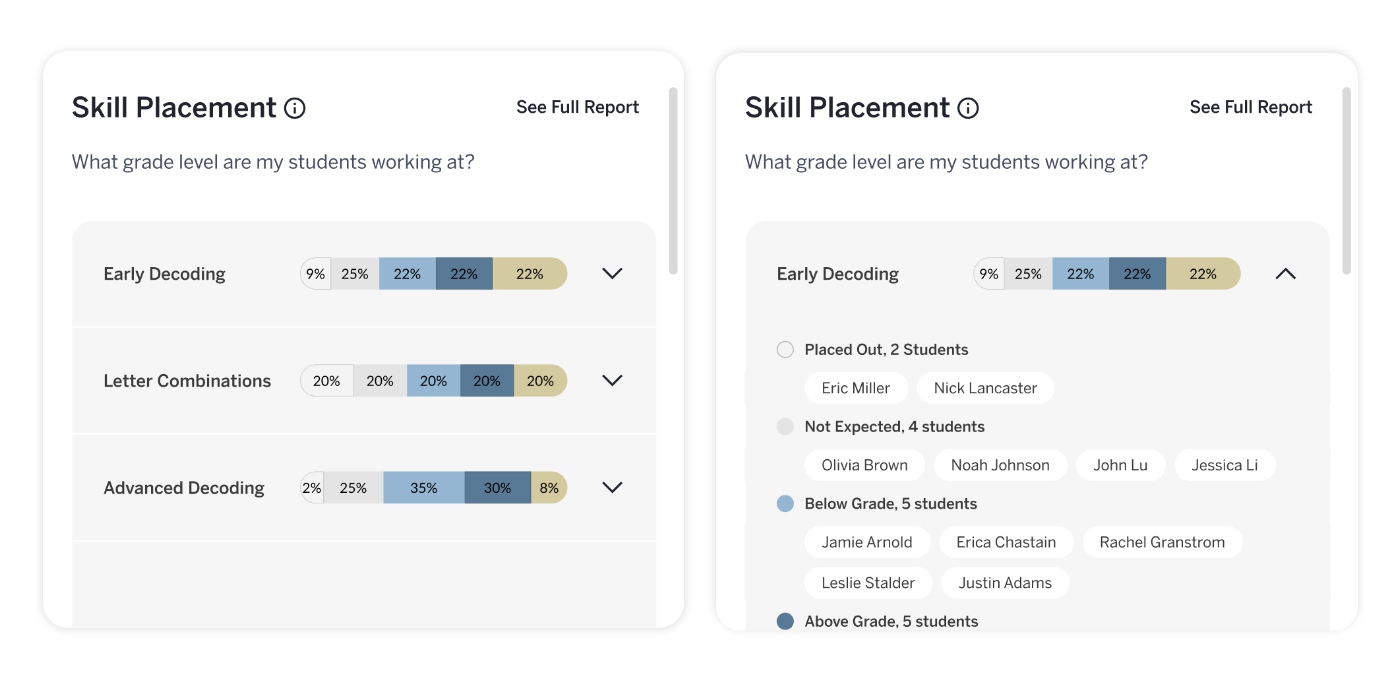
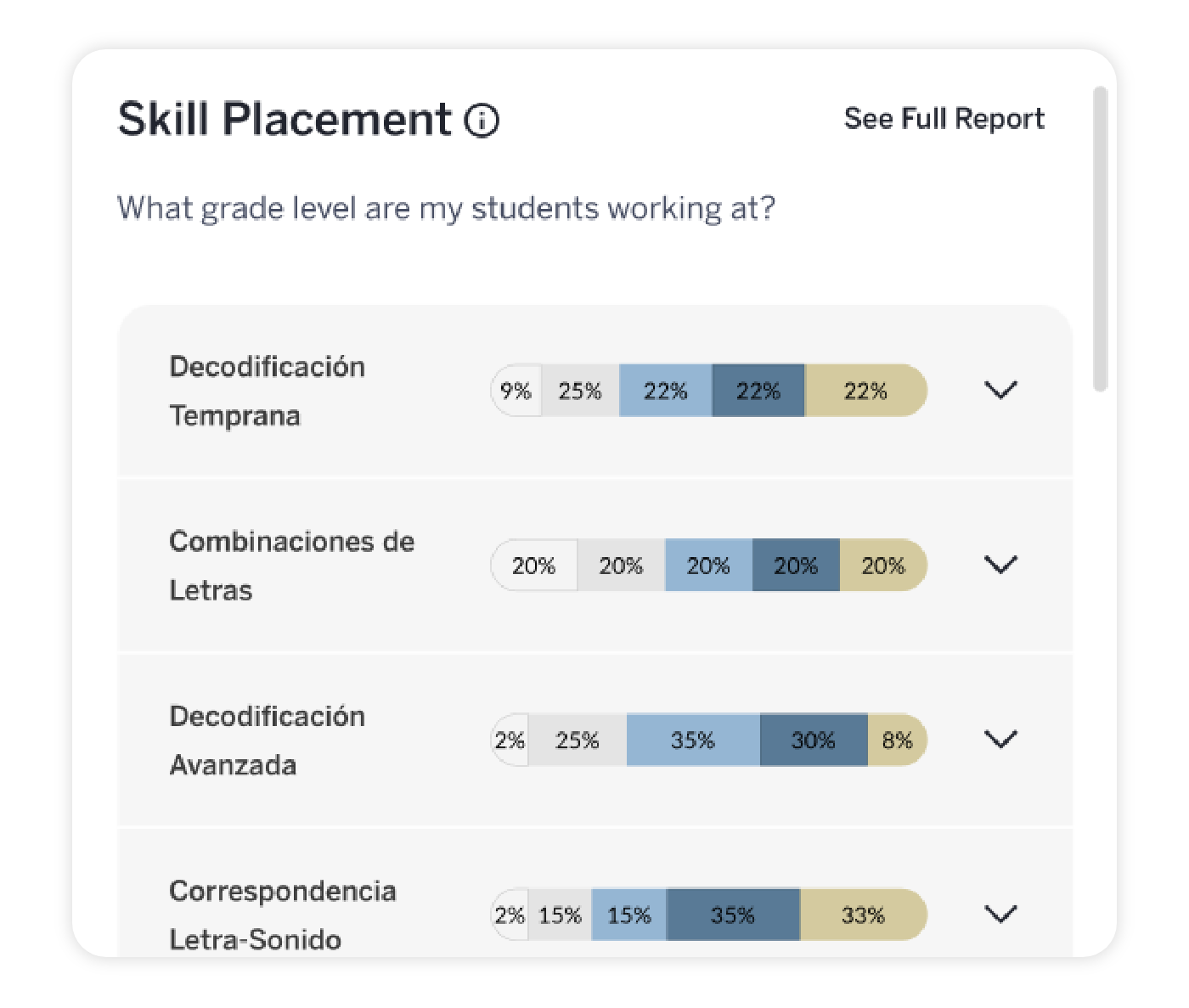
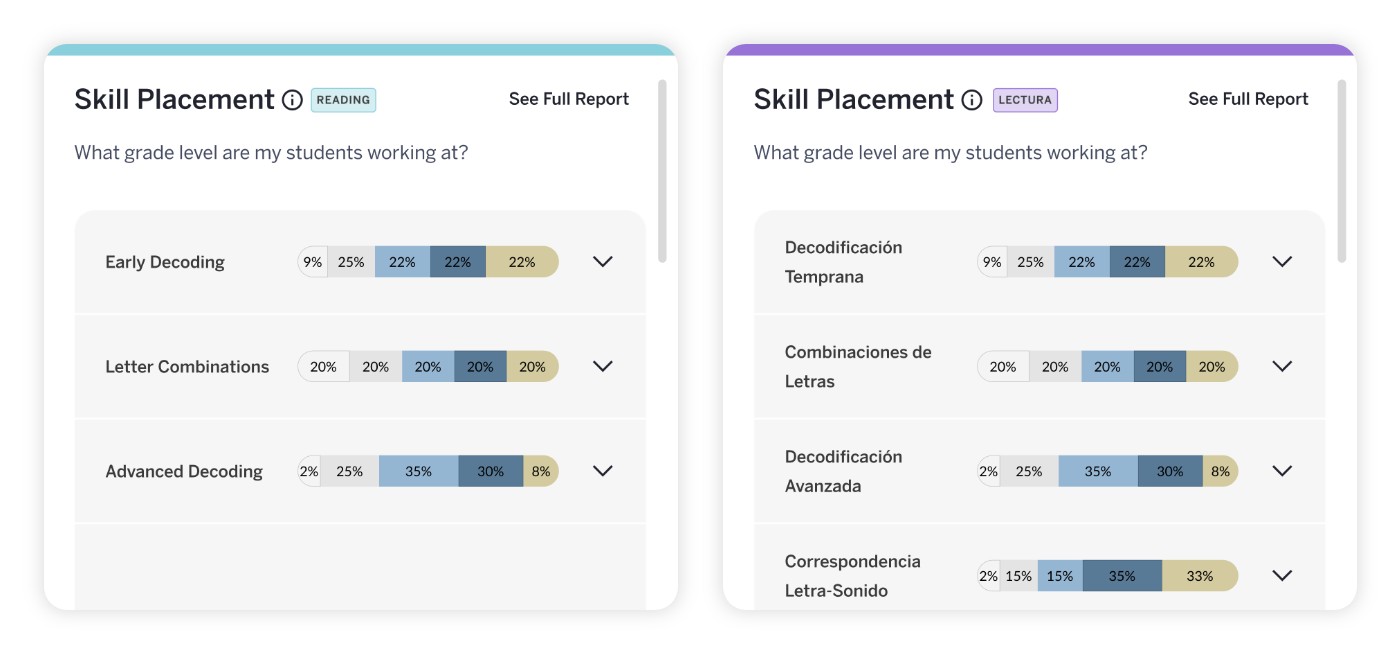
Skill Placement

The skill placement section of the Teacher Dashboard will allow you to see a clearer summary of the skills students are working on in Boost Reading and whether they are below, on, or above grade level. See where you should focus your intervention efforts and gain greater transparency on what’s driving performance.

CM_Boost_TeacherDashboardAdminReporting_LP_SkillPlacement_110525-1

Boost Lectura

Boost Lectura Teacher Dashboard now includes clear growth reporting that makes student progress easy to see and act on: 

CM_Boost_TeacherDashboardAdminReporting_LP_BLTroubleSpots_102325-1

Trouble Spots 

A new Skill view toggle will allow you to swiftly identify which groups of students need targeted skill support in small groups. Now, with automatic grouping by skill, you’ll be able to see which skills need attention and which students need the most support. You can also quickly access ready-made printable lessons for small-group work in targeted skill areas to home in on areas where additional support is needed!


CM_Boost_TeacherDashboardAdminReporting_LP_BLGrowthReporting_110525

Monthly Growth

Growth reporting will now offer trends on student progress in key areas: Performance and Growth. This enables you to evaluate student outcomes on each skill scan, compare the most recent results, and direct intervention efforts effectively.


CM_Boost_TeacherDashboardAdminReporting_LP_BLBenchmark_102325-1

Benchmark Performance

The enhanced Benchmark reporting allows for BOY to EOY tracking for Boost Lectura users also utilizing mCLASS Lectura. You’ll be able to quickly assess intervention effectiveness and adapt strategies as necessary.


Skill Placement

This reporting provides a clearer summary of the skills students are working on in Boost Lectura and whether they are below, on, or above grade level.This empowers you to concentrate interventions where they’re most needed and understand performance drivers more transparently.

CM_Boost_TeacherDashboardAdminReporting_LP_LecturaSkillPlacement_110525

Biliteracy

Get a holistic view of your students' biliteracy growth with the new Biliteracy Teacher Dashboard updates:

CM_Boost_TeacherDashboardAdminReporting_LP_BiliteracyTroubleSpots_102325-1

Trouble Spots 

The addition of the new Skill view toggle simplifies identification of students needing specific skill interventions in small groups. Teachers will benefit from enhanced insights into challenging skills across both languages, allowing for more precise support. Use ready-made printable lessons for small-group work in targeted skill areas to make the most impact on the spot.


Monthly Growth

Growth reporting will now offer trends on student progress in key areas: Performance, Growth, and Risk of Reading Difficulty (for Boost Reading). You’ll be able to compare recent skill scan results to understand growth across both English and Spanish, ensuring a comprehensive view of your students' biliteracy progress. Access a more holistic view of your students’ biliteracy journeys, ensuring you’ll have insight every step of the way in both English and Spanish.

CM_Boost_TeacherDashboardAdminReporting_LP_BiliteracyGrowthReporting_110525

CM_Boost_TeacherDashboardAdminReporting_LP_BiliteracyBenchmark_102325-1

Benchmark Performance

Enhanced Benchmark reporting allows for BOY to EOY benchmark tracking. This facilitates timely evaluations of intervention impact, making sure that biliteracy data is always top of mind.


Skill Placement

Skill placement reporting provides a clearer summary of the skills students are working on across both programs and whether they are below, on, or above grade level.  This helps focus intervention efforts, detect instructional trends, and reveal skill transfer between languages, fine-tuning both instruction and intervention.

CM_Boost_TeacherDashboardAdminReporting_LP_BiliteracySkillPlacements_110525-1
Share Share this via email
Back to top