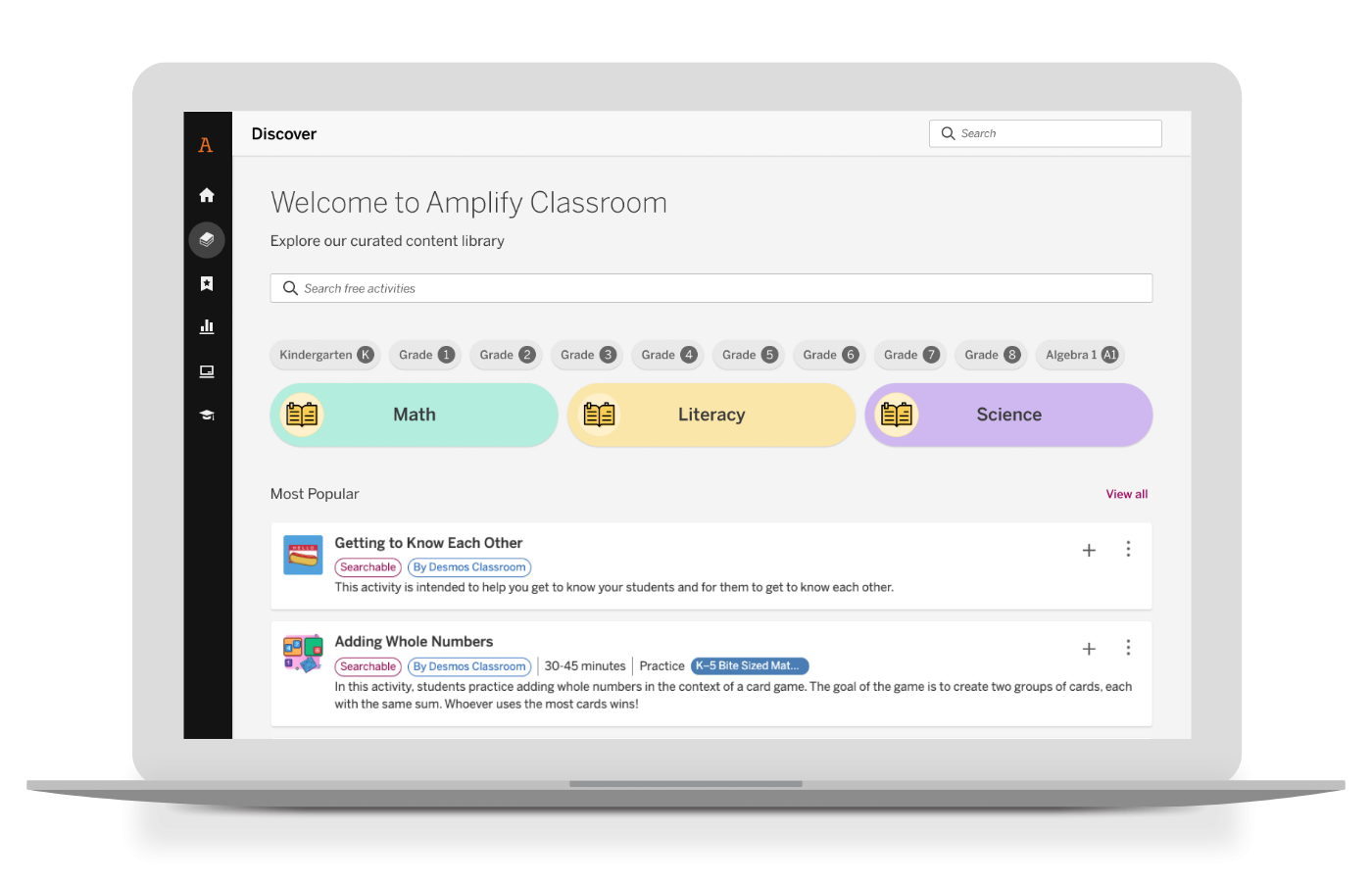
You can log into Amplify Classroom at classroom.amplify.com.
Your old Desmos Classroom email and password will work by clicking "Login with Amplify." If you signed in with Google, you can continue doing so on this login page.
Still unsure which option to use? Choose the "Find out" option.
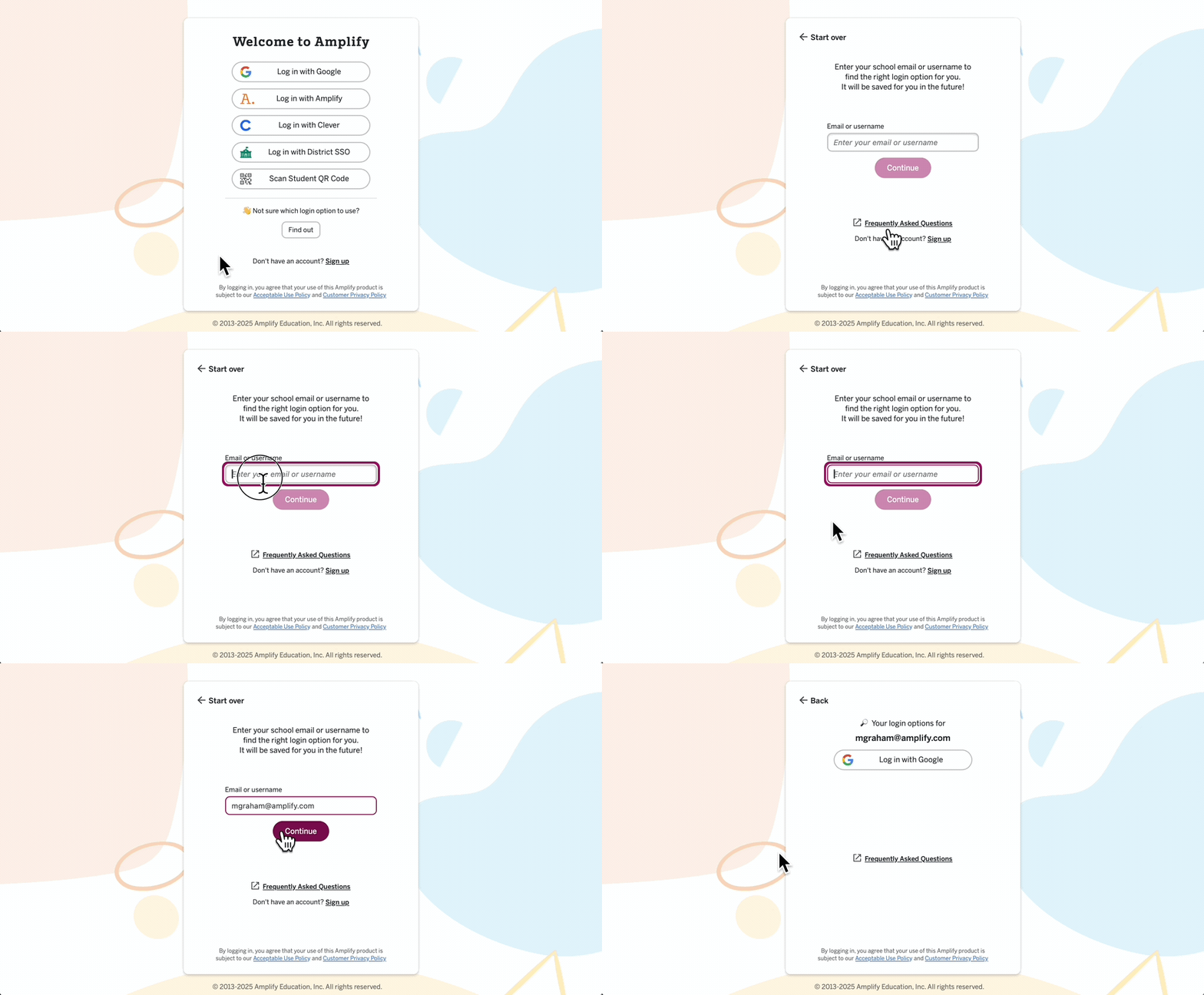
If students or teachers have not previously created an account, you will need to click Sign Up to create one, even if you are signing up with Google.
Many schools or districts limit what websites their teachers can access from their school emails. Please work with your IT teams to verify that all required URLs are approved by your school district to ensure seamless access for teachers and students.
You can create a class or import from Google in Admin Portal. Select the Admin Portal button on the side navigation bar and select "New Class" to get started. See our demo. 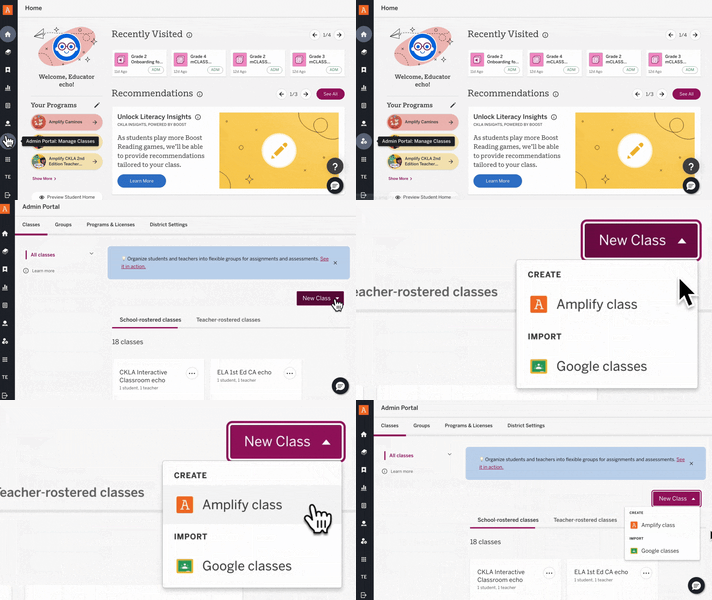
Use the "Stream", previously known as Dashboard History, to view and filter sessions by class. To get here, go to Educator Home (by selecting the Home icon on the side navigation bar), scroll down to "Stream" and click "See All."
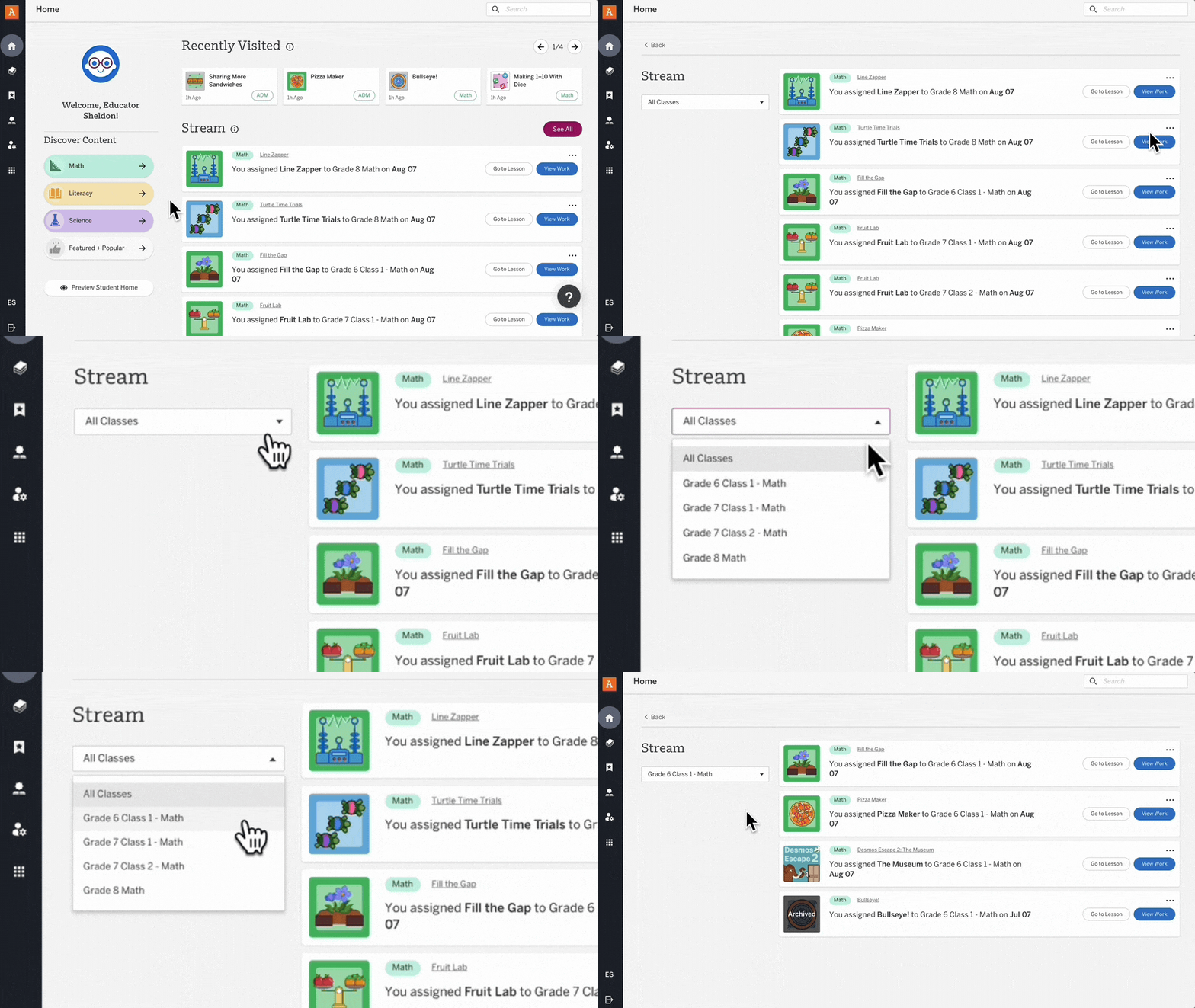
If a class appears to be missing, it may have been archived. Simply visit the Admin Portal on the side navigation bar to restore it. For additional details, refer to our help article.
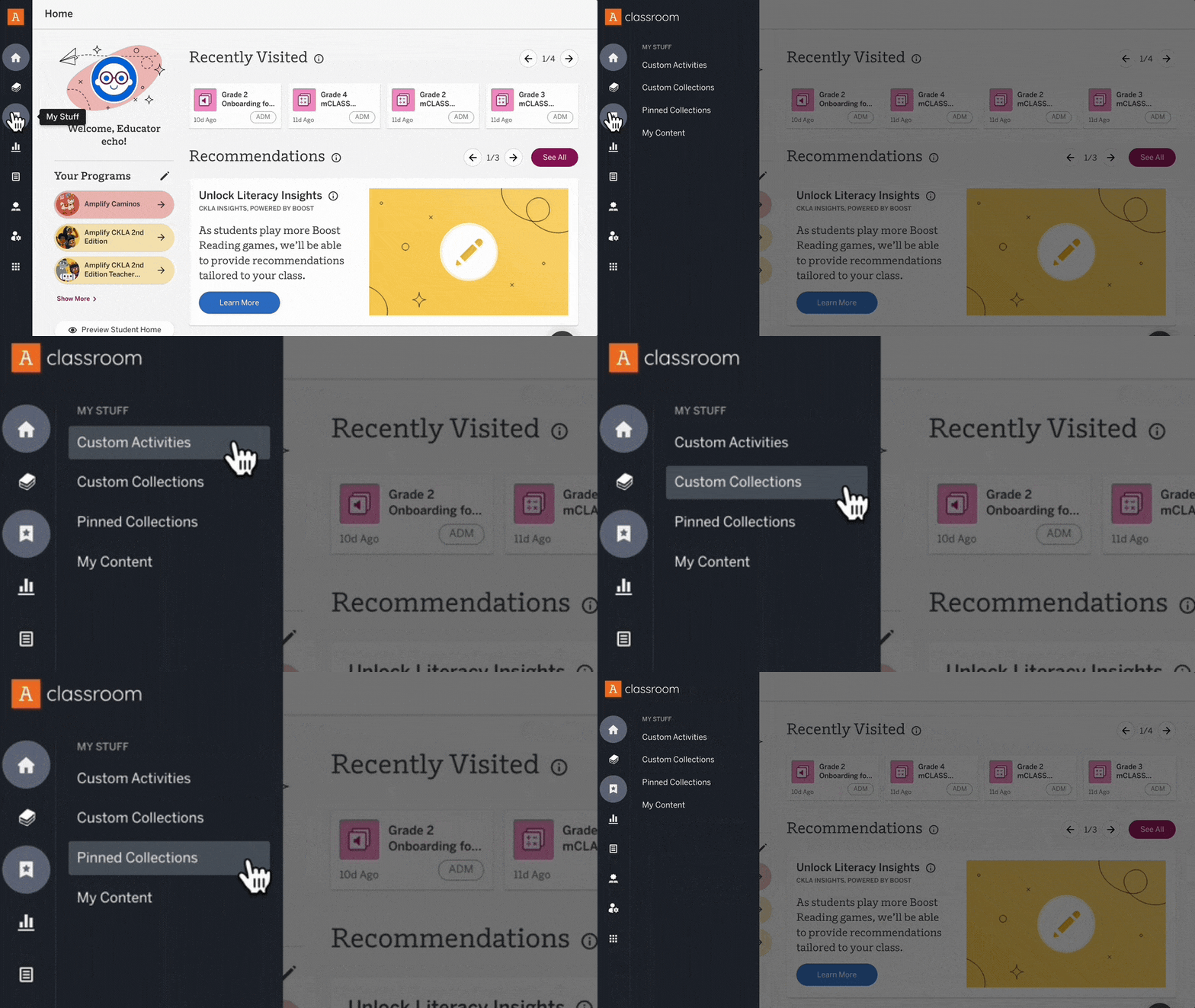
If your account(s) were verified, you’ll have access to all of your existing content in the new experience, including custom activities and collections. You will also still have access to all of your sessions over the past 18 months. Watch this video to find your stuff.
Still can't find it? Contact us here.
If your students are having trouble joining your class with Google: Make sure that students are clicking "Sign up" to get started if they have not already created an account!
Your district must confirm your third-party app settings for Amplify in the Google Admin Console to prevent issues with teachers and students accessing Amplify. If you're a teacher or student receiving the error "Access blocked: Your institution’s admin needs to review," please contact your school or district's tech support contact for help and provide them with this article.
If you are using Log in with Google for your school or district, your Google Administrator needs to grant users access to the Amplify app (App ID: 925895180124-kthekqo0umovf0bhkupigrks1eq4vvub.apps.googleusercontent.com).
1. To get started, sign in to the Google Admin console (note: you must be a Google Admin to access this).
2. Head to Menu > Security > Access Control and Data > API Controls in the Admin Console. You should see a section titled “App access control”
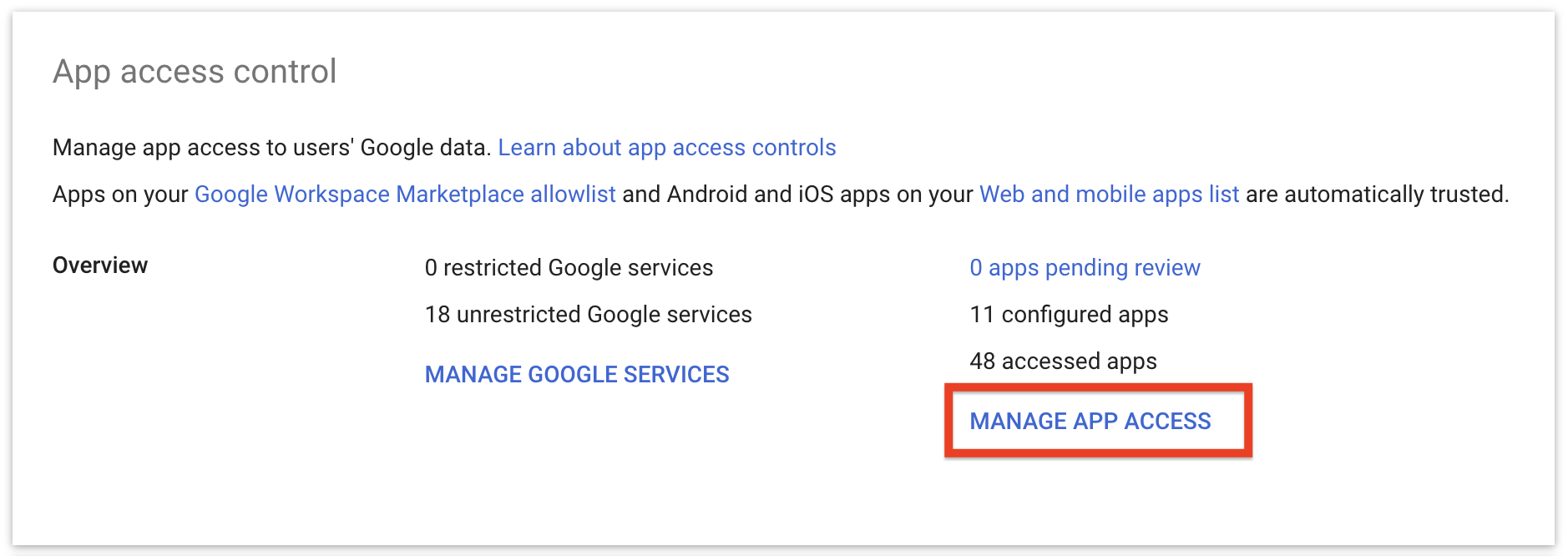
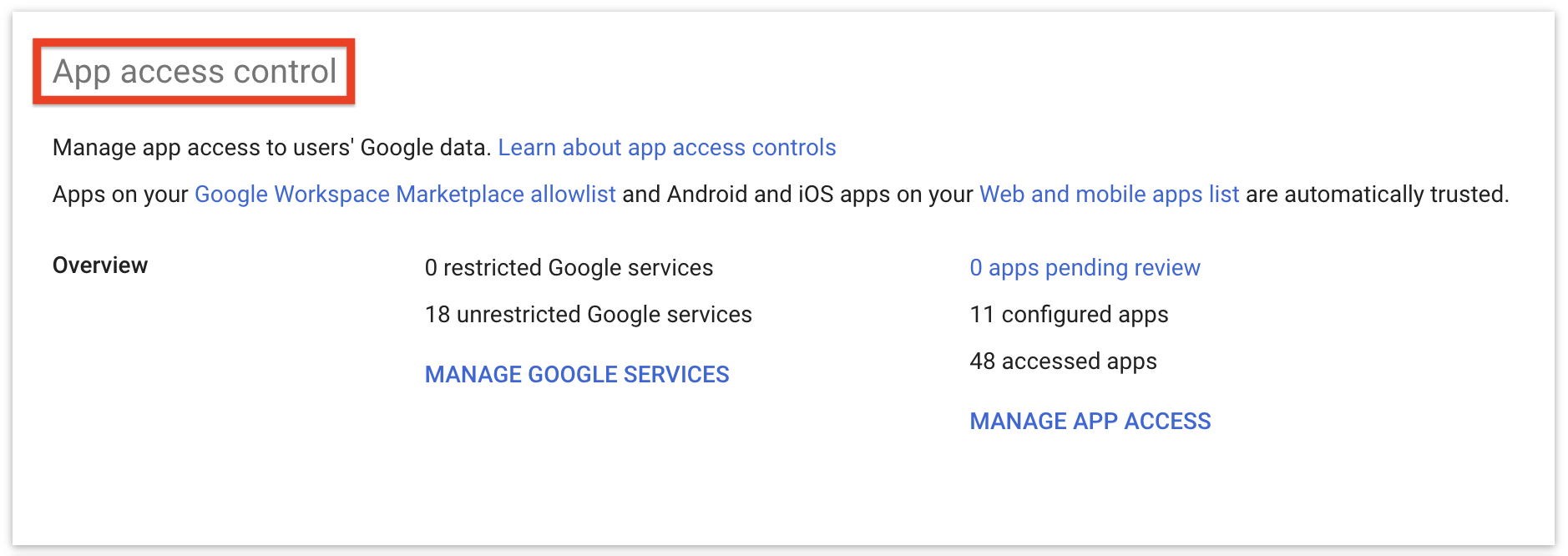 3. Click Manage App Access to configure third-party apps. You should see a table listing your configured apps.
4. Click on Configure new app.
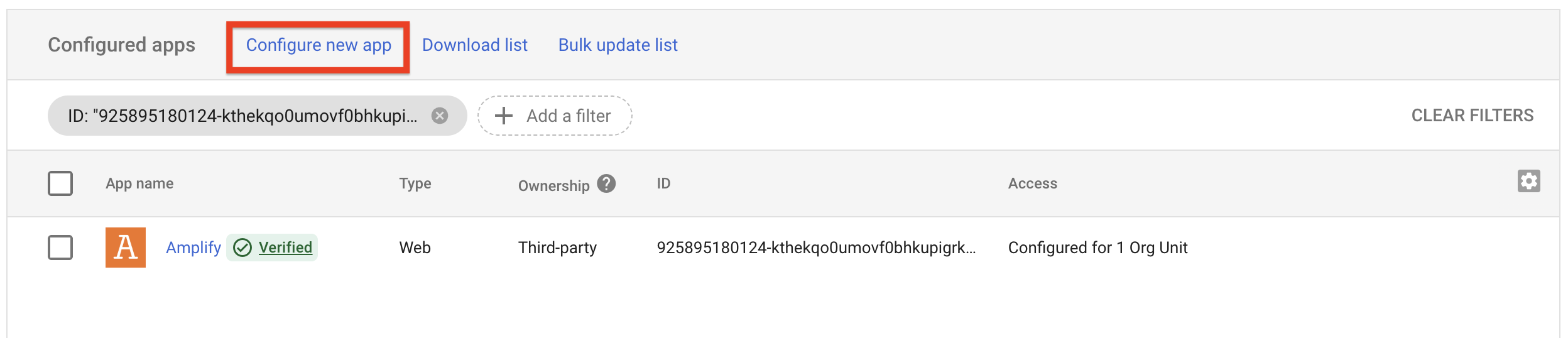
5. Search for Amplify or 925895180124-kthekqo0umovf0bhkupigrks1eq4vvub.apps.googleusercontent.com
6. Select the Amplify app from the list.
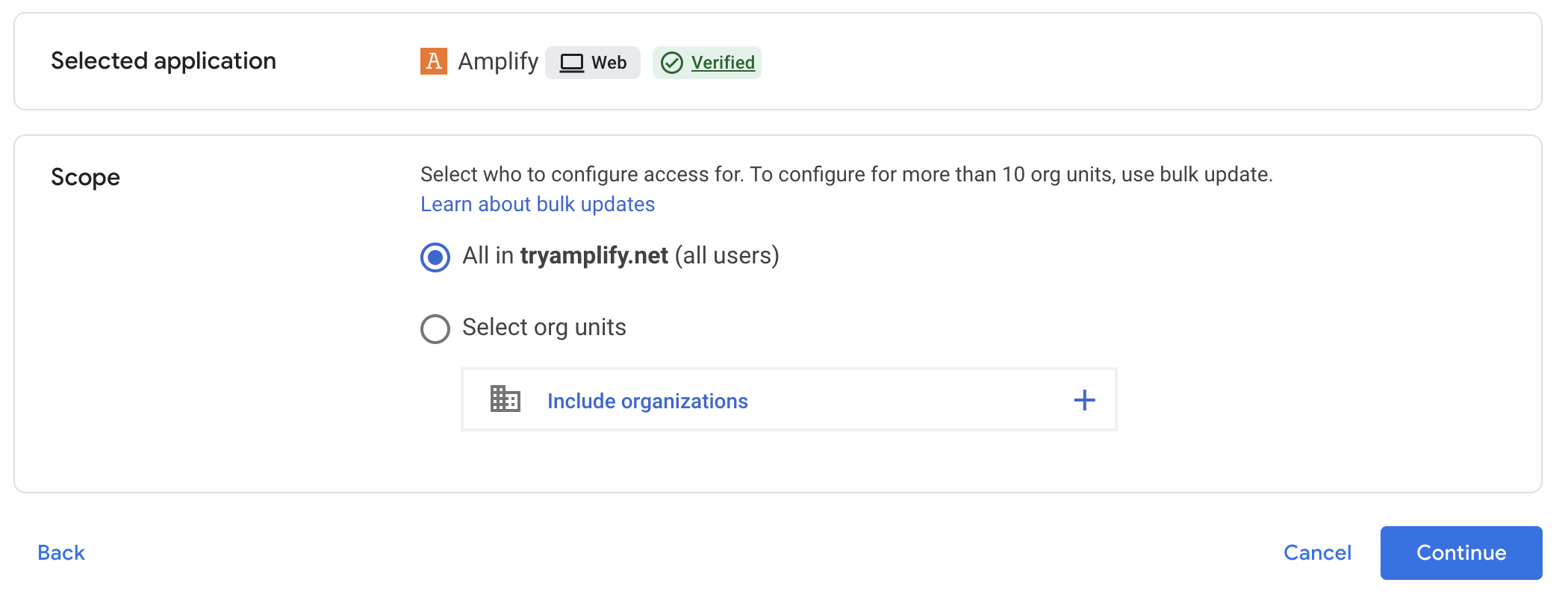
7. Select the appropriate scope (all users in the domain or specific organizational units) for app access then click Continue.
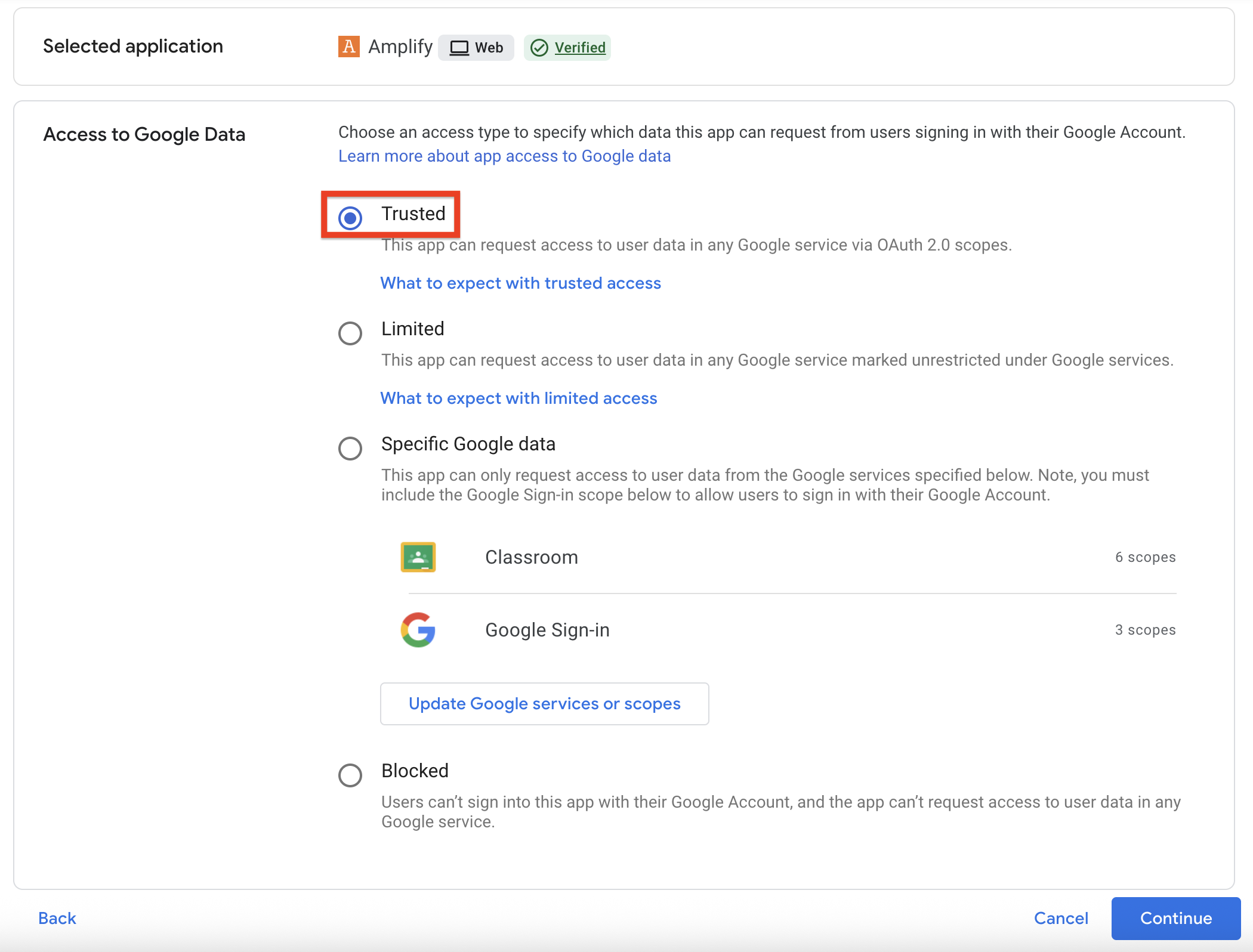
8. Select “Trusted” to allow access. It is important to choose this option to ensure that students and teachers are able to access the app. More information is available here: Manage access to unconfigured third-party apps for users designated as under 18.
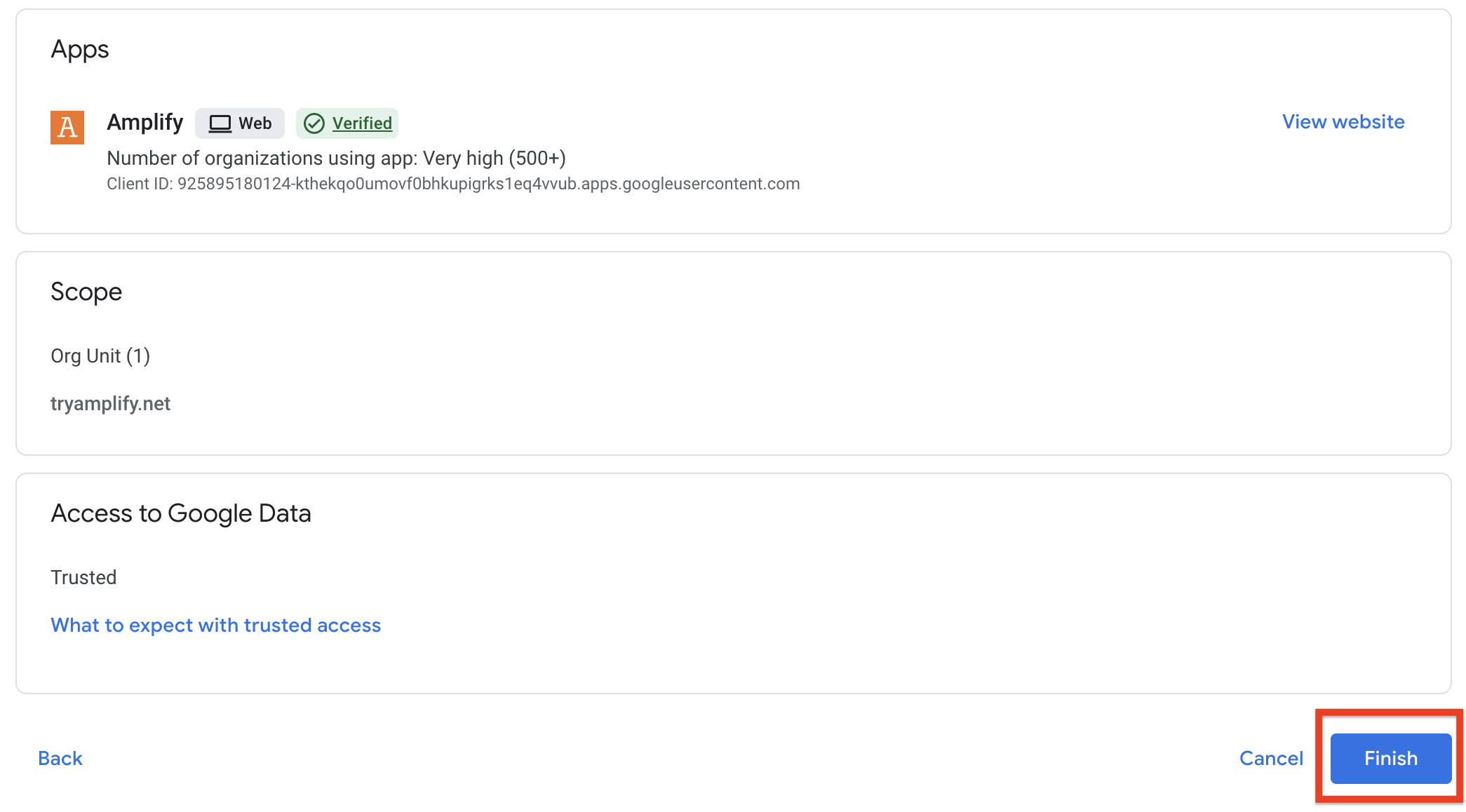
9. Review your settings. If they look good, click Finish.
Access Activity Builder and custom activities through the My Stuff button in the Global Navigation bar on the left-hand side of your browser. Watch this video for a quick tutorial.
If you can't find your custom activities, please contact our support team.
To access Polypad, visit the discover page and scroll down to the Polypad banner.
Free science and literacy lessons are available now on the discover page.
Select the "science" or "literacy" filters to find lessons for each subject area.
Amplify is committed to maintaining (and growing) our collections of free lessons. Everything that is free will remain free. In 2024, we achieved a new milestone by releasing more than 500 lessons and activities, expanding our lesson collections to support K–12 educators. We remain dedicated to continually expanding our collection of free, high-quality content for teachers and students.
The following users have been migrated to the new experience:
- Educators with a free verified Desmos Classroom account who met at least one of the following criteria:
- logged in after January 2024 (18 months before the migration date of June 27, 2025)
- Have created at least one custom activity at any time
- All Desmos Math 6–A1 customers
- Student users who logged in after August 2024 (11 months before the migration date of June 27, 2025)
Users whose accounts are not migrated will have the option to easily create a new account in the future.
If your Amplify account email matches your Desmos Classroom email account, they were merged into one account. This means all of your custom activities and collections will still be available alongside Amplify programs your district has purchased. Users will also have access to dashboards created since December 27, 2023.
No! Desmos Studio is still an independent company, responsible for the free calculators. Your account on www.desmos.com will be unchanged. If you ever have questions for our friends at Desmos Studio PBC, you can always reach them at support@desmos.com.
Yes! Visit our Getting Started with Amplify Classroom playlist for everything you need to know about the new platform experience.